You do not need to spend hours inside Google Search Console to understand whether your organic search performance needs attention. A focused monthly review can reveal declining pages, new keyword opportunities and indexing problems before they are ignored for another quarter.
This Google Search Console checklist gives you five practical checks you can repeat every month.
Start With the Right Date Comparison
Open Google Search Console and select Performance → Search results.
Before analysing individual numbers, set a useful comparison period. A simple approach is to compare the last complete 28 days with the previous 28 days.
Avoid drawing conclusions from incomplete recent data. Search Console can display preliminary data for the most recent period, so make sure you are comparing complete days wherever possible.
1. Check What Changed in Clicks and Impressions
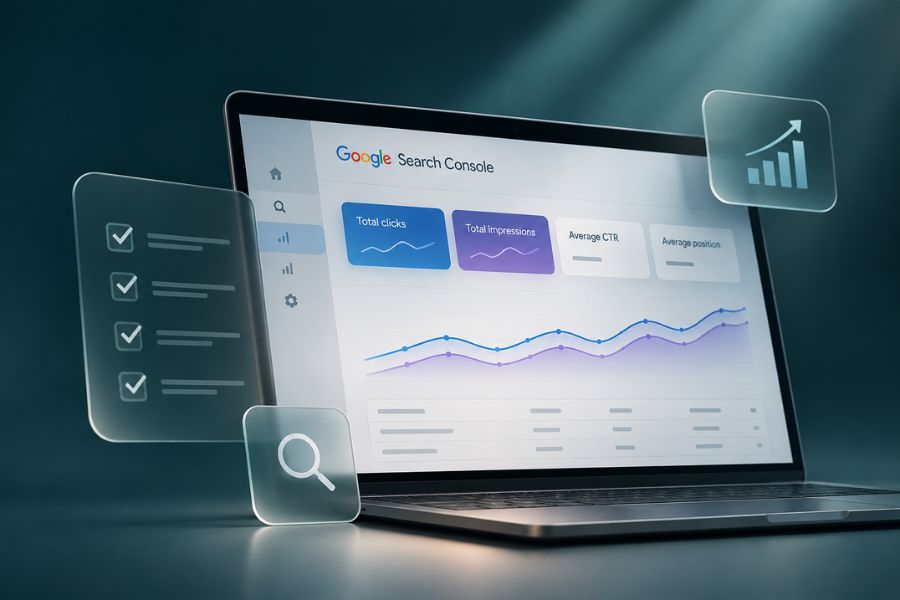
Start with the four main Search Console metrics:
- Total clicks
- Total impressions
- Average CTR
- Average position
Look at the difference between the two periods.
If clicks have dropped, do not immediately assume your rankings collapsed. Lower search demand, seasonality, changes in click-through rate or changes in how Google displays results can all influence traffic.
The next step is to find where the change happened.
Open the Pages tab and look for individual URLs that gained or lost meaningful clicks or impressions.
This type of data-led review is a core part of our SEO & GEO approach, because sitewide numbers rarely tell you what actually needs to be improved.
2. Find Pages Getting Impressions but Few Clicks
Stay inside the Pages report and look for pages receiving substantial search impressions without generating many clicks.
Do not immediately rewrite the SEO title because the CTR looks low.
Click the page first, then open the Queries tab. You need to understand which searches are generating those impressions.
A page may appear for several broad searches where it ranks relatively low, which can naturally produce a lower CTR.
If the queries are relevant and the page already has visibility, however, you may have found an optimisation opportunity.
Review whether the title and description accurately communicate what the searcher will find.
3. Look for Keywords Close to Stronger Positions
Open the Queries tab and review searches where your website already has meaningful impressions.
Pay particular attention to commercially relevant queries where your average position is somewhere around 5 to 20.
These are not automatically keywords you can push into the top positions. They are simply useful candidates for further investigation.
Open the relevant page and ask:
- Does it answer the search properly?
- Is important information missing?
- Could the explanation be clearer?
- Are there useful internal links?
- Has the content become outdated?
Improving a page that already has search visibility can sometimes be a more sensible priority than publishing another article.
Our existing guide to essential SEO steps for your website provides a useful wider checklist if you want to review the page itself.
4. Check Page Indexing Problems
Go to Indexing → Pages and review the reasons Google provides for URLs that are not indexed.
The important point here is that not every non-indexed URL represents a problem.
Duplicate pages, intentionally excluded URLs and removed content may have perfectly legitimate reasons for remaining outside Google’s index.
Instead, look for changes involving pages that matter to your business.
If an important service page or article suddenly appears as not indexed, inspect that specific URL and investigate the reason before making changes.
For key pages, you can also use Google’s URL Inspection tool to check their current indexing status.
5. Review Your Best-Performing Pages
Your top-performing pages deserve attention too.
Sort your pages by clicks and identify the content consistently bringing relevant visitors to the site.
Then open those pages manually.
Check whether someone arriving from Google has a logical next step.
For example, an informational SEO article could naturally lead to your SEO service. A website-focused article could direct interested readers toward your website development services.
Traffic has limited business value if visitors reach a useful article and then have nowhere relevant to go.
Your Monthly SEO Action List
Do not finish your Search Console review with 20 things you might eventually fix.
Choose the three findings that matter most.
For example:
- Update one page that has lost visibility.
- Improve one page already appearing for valuable queries.
- Investigate one unexpected indexing issue.
Complete those actions, record what you changed and review the data again during your next monthly check.
Common Mistakes to Avoid
Avoid treating every decline as an SEO emergency. Search behaviour changes, and individual metrics need context.
Do not optimise pages based only on average position either. Always examine the actual queries generating impressions.
Finally, do not try to force every URL into Google’s index. Focus on whether your important pages are discoverable and indexed correctly.
FAQ
How often should I check Google Search Console?
A monthly detailed review is enough for many businesses, although active SEO campaigns may require more frequent monitoring.
Does a drop in clicks always mean rankings have fallen?
No. Clicks can change because of search demand, CTR, rankings and changes to the search results themselves. Review impressions, queries and pages before deciding what happened.
Should every website page be indexed?
No. Some duplicate, filtered, administrative or intentionally excluded URLs may not need to appear in Google’s index.
What to Do Next
Search Console becomes much more useful when every review ends with specific actions rather than another spreadsheet or report.
If you want us to examine your search data, identify the pages with the strongest opportunities and turn those findings into an actionable SEO plan, let’s talk.