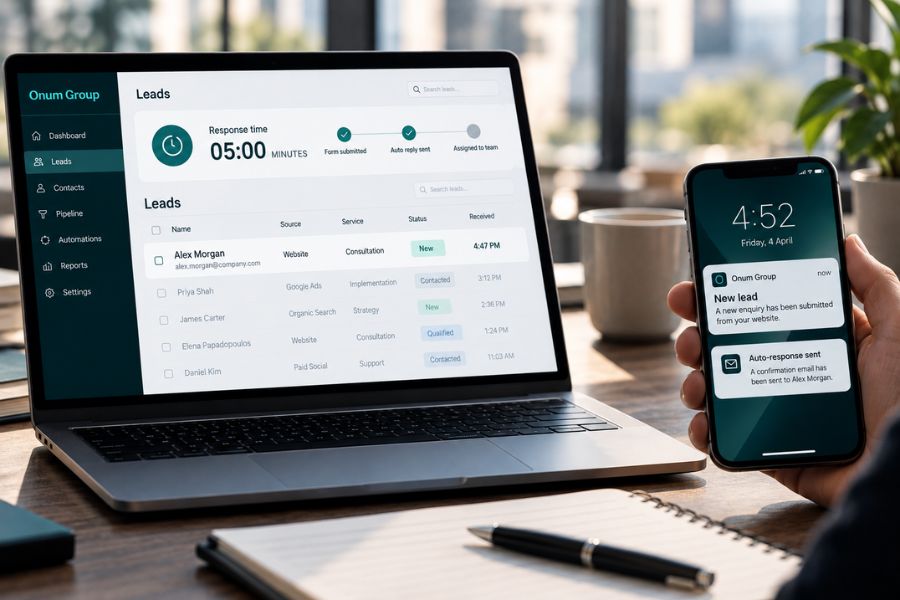
It’s Friday, 4:47 PM.
Someone has just submitted a form on your website. They’ve spent time researching your business, comparing alternatives, and deciding whether your service is worth exploring.
They’re interested enough to share their details and ask for a conversation.
The form works. The submission reaches your inbox.
Nobody sees it.
On Monday morning, someone from your team opens the email, copies the contact details into a spreadsheet, and sends a reply.
By then, the prospect might have spoken to another provider, moved on to a different priority, or simply forgotten why they contacted you.
This is the problem lead response automation is designed to address.
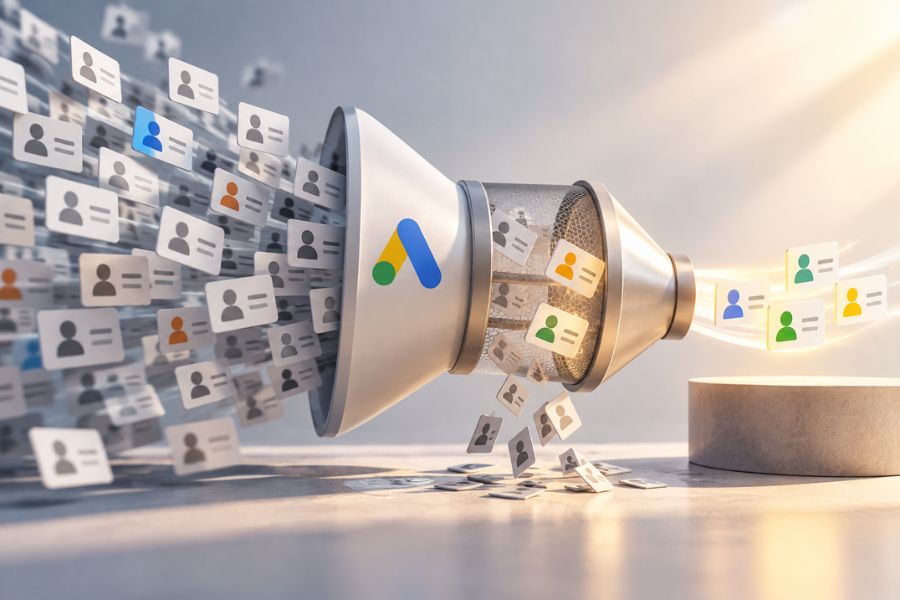
And for a business spending serious money on Google Ads, Meta Ads, or SEO, it’s a problem worth solving before increasing the marketing budget.
The Expensive Gap Between Marketing and Sales
Most businesses pay close attention to what happens before someone becomes a lead.
They monitor advertising campaigns, adjust targeting, test creatives, improve landing pages, and review conversion rates.
Those activities matter.
But the process often receives much less attention after a prospect submits a form.
The marketing dashboard records a conversion. The agency reports another lead generated. Everyone sees a positive number.
Meanwhile, the potential customer is waiting.
This creates a dangerous disconnect.
A conversion in Google Ads is not the same as a meaningful sales conversation. A submitted form is not a booked consultation. And a booked consultation is not a closed deal.
For businesses selling expensive products or professional services, every stage matters.
Consider a company offering a complex technology implementation. A potential client may already have internal approval to evaluate suppliers.
If the enquiry sits unanswered, the company has wasted an opportunity created through considerable marketing and sales effort.
The loss isn’t always visible in an analytics platform.
That’s why the process behind lead handling deserves as much attention as lead generation.
Why the First Five Minutes Matter
The first five minutes are a useful operational benchmark because they force businesses to think about responsiveness.
A person who has just submitted an enquiry is actively engaged with the decision.
They may still be on your website. They may have relevant questions ready. Their interest is immediate.
Responding promptly helps acknowledge that interest while the context is fresh.
But speed alone doesn’t guarantee a sale.
A high-ticket buyer might need several conversations, multiple decision-makers, a formal proposal, and weeks of internal discussion.
The goal isn’t to pressure someone into a rushed decision.
It’s to demonstrate that your business is attentive, organised, and capable of handling an enquiry professionally.
There is an important difference between an immediate acknowledgement and an immediate sales conversation.
An automated message can confirm receipt and explain what happens next. A qualified team member can then take responsibility for the meaningful discussion.
Both parts need to work together.
What Lead Response Automation Actually Does
The phrase sounds technical, but the concept is straightforward.
Lead response automation connects the systems that receive enquiries with the people responsible for handling them.
Instead of relying on someone to notice an email and manually move information between tools, a predefined process starts automatically when an enquiry arrives.
Let’s follow a realistic example.
A prospective customer submits a consultation request through your website.
Step 1: The Enquiry Is Captured Properly
The automation receives the form submission and records the relevant details.
That could include the prospect’s name, company, email address, selected service, and the information they chose to provide.
Where appropriate, the enquiry can be added to your CRM or existing lead management system.
This creates a record that your team can reference.
A good setup also accounts for duplicate submissions, incomplete information, and failed integrations.
Without these safeguards, automation can quickly create inaccurate records or repeated notifications.
Step 2: The Prospect Receives an Immediate Response
The prospect receives a clear confirmation.
Something simple:
“Thanks for getting in touch. We’ve received your enquiry about our services. A member of our team will review the details and contact you during business hours.”
The message can also explain the next step or provide a booking option if that fits your sales process.
It should sound like your business.
It should not pretend that a human has personally reviewed an enquiry when that hasn’t happened.
Transparent communication builds trust.
And if the enquiry arrives outside working hours, the response should set realistic expectations rather than promise a call that nobody is available to make.
Step 3: The Lead Is Categorised
Not every enquiry needs the same treatment.
A potential enterprise customer requesting a proposal is different from someone asking a general question.
Automation can use information supplied through the form to organise enquiries by service, urgency, region, or other relevant criteria.
For example, a business offering multiple consulting services might route strategy enquiries to one team member and technical implementation requests to another.
This is where thoughtful design matters.
AI can assist with classifying unstructured messages, but it can make mistakes.
For commercially significant enquiries, uncertain classifications should be reviewed rather than silently treated as facts.
The purpose is to support your team, not hide useful enquiries behind an unreliable scoring system.
Step 4: The Right Person Is Notified
Once the enquiry is captured and categorised, a notification reaches the appropriate person.
That might be an email, CRM task, or message within an internal communication platform.
The notification should include enough context for the salesperson to act without opening several different systems.
Who submitted the enquiry? What service are they interested in? When did they contact the business? What should happen next?
A notification without ownership is not a complete process.
Someone needs to be responsible for responding.
That responsibility should remain clear even when a team member is unavailable.
Step 5: Follow-Up Happens Without Depending on Memory
If the enquiry hasn’t received a response, the system can create a reminder or escalate the task.
If the prospect has received a reply but hasn’t booked a meeting, a carefully timed follow-up may be appropriate.
If the prospect has already spoken to the team, the sequence should stop or change accordingly.
Good automation respects context.
Bad automation sends the same messages regardless of what has happened.
An expensive service deserves a more considered approach than an endless sequence of generic sales emails.
What This Means for Your Advertising Budget
Imagine you’re running a campaign to attract companies interested in a high-value service.
Your Google Ads campaigns bring visitors to a focused landing page.
Some visitors become enquiries.
From the advertising platform’s perspective, those submissions may count as successful conversions.
But if your business regularly responds late, your actual sales performance can be disappointing even when campaign metrics look reasonable.
This is why we believe paid advertising and lead handling should be evaluated together.
Before increasing your spending, examine what happens to the leads you’re already generating.
Are they being contacted? How quickly? Who owns the follow-up? How many become qualified conversations? What happens after the initial reply?
The answers can reveal operational problems that cannot be fixed through better ad copy.
The same thinking applies to Meta Ads, particularly when leads arrive through several forms, campaigns, and contact channels.
If all those enquiries feed into disconnected inboxes, the sales team may struggle to maintain a consistent process.
Connecting lead generation with lead management helps close that gap.
AI Automation Doesn’t Need to Be Complicated
Some businesses hear “AI automation” and immediately imagine a chatbot handling every conversation or an autonomous system making sales decisions.
Most don’t need that.
A practical starting point might be connecting a website form to a CRM, sending a confirmation email, notifying the salesperson, and creating a reminder if nobody follows up.
That’s already useful.
More sophisticated workflows can be added where they solve a real problem.
For instance, AI may help extract relevant details from an enquiry, identify the likely service category, or prepare an internal summary for a salesperson.
But complexity brings additional responsibilities.
You need reliable data handling, appropriate access permissions, error monitoring, and safeguards for sensitive information.
You also need a clear process for situations the automation cannot handle.
A workflow that fails silently is worse than one that makes its limitations visible.
Our AI automation services focus on connecting real business processes, reducing avoidable manual work, and keeping human oversight where it matters.
The Honest Part: Automation Cannot Replace the Sales Conversation
If you’re selling a high-value service, your prospective customers expect knowledgeable people.
They want to discuss their specific situation, evaluate your expertise, ask uncomfortable questions, and understand the potential risks.
An automated email cannot replace that conversation.
Neither can a chatbot that provides generic answers without understanding the client’s circumstances.
Automation should make your team more responsive and better prepared.
It can collect information, trigger actions, and prevent important tasks from being forgotten.
It cannot automatically create trust or turn an unsuitable prospect into a good customer.
Trying to automate the entire relationship can damage the experience you’re paying to create.
For high-ticket businesses, personal attention is part of the product.
Protect it.
What You Should Not Automate
Not every repetitive task should be automated immediately.
Avoid sending aggressive follow-up sequences to prospects who haven’t consented to that communication.
Don’t allow an AI system to invent pricing, delivery commitments, or contractual promises.
Don’t let uncertain lead scores automatically reject valuable enquiries.
And don’t automate a process that your team hasn’t clearly defined.
If nobody knows who should handle a particular lead, adding software won’t resolve the underlying responsibility problem.
Start by clarifying the process.
Then automate the repetitive steps within it.
How to Know Whether Your Automation Is Working
The first measure is operational reliability.
Are enquiries captured consistently? Do confirmation messages send successfully? Are notifications reaching the right people? Are errors being detected?
Next, measure responsiveness.
Track the time between submission and acknowledgement, as well as the time until meaningful human contact.
These are separate metrics.
Then connect the workflow to sales outcomes.
Look at the percentage of enquiries contacted, the share that become qualified conversations, meetings booked, proposals issued, and deals won.
Segment the data by lead source when possible.
A faster response process is valuable, but you also want to understand whether it contributes to better commercial performance.
Be careful with attribution.
If conversion rates improve after introducing automation, other factors such as campaign quality, seasonality, sales capacity, and changes in lead mix may also have influenced the result.
The goal is to make better decisions using reliable information.
Start With One Process That Is Costing You Opportunities
You don’t need to automate your entire business.
Take one common scenario, such as incoming consultation requests.
Map what happens today, from the moment someone submits the form until the first meaningful contact.
Identify where information gets lost, delayed, or duplicated.
Then design a workflow that addresses those specific issues.
Test it using realistic enquiries, including incomplete forms, duplicate submissions, out-of-hours requests, and integration failures.
Make sure the team understands the new process.
Once it works reliably, you can consider expanding it.
For most growing businesses, a dependable, focused automation is more useful than a complex system that nobody fully understands.
FAQ
What is lead response automation?
Lead response automation uses connected tools and predefined workflows to acknowledge, organise, route, and follow up on incoming enquiries. It helps teams respond consistently without relying entirely on manual actions.
Can lead response automation work with WordPress and Elementor?
Yes. Depending on your existing tools and technical requirements, WordPress and Elementor forms can be connected to CRM systems, email platforms, and other workflow tools.
Should AI respond directly to potential customers?
It depends on the situation. AI can assist with appropriate, clearly identified responses, but sensitive questions, complex service discussions, and important commercial decisions should have human oversight.
How do I know if my business needs lead automation?
If enquiries regularly go unanswered, information is copied manually between tools, follow-ups are inconsistent, or your sales team struggles to track incoming leads, it’s worth examining the process.
Let’s Make Sure Your Next Lead Doesn’t Get Lost
If you’re investing in lead generation but aren’t confident about what happens after someone clicks Submit, there’s probably a useful conversation to have. Let’s talk about your current process and whether a focused automation could make it more reliable.